Best laptop stands (2026): get your screen to eye level
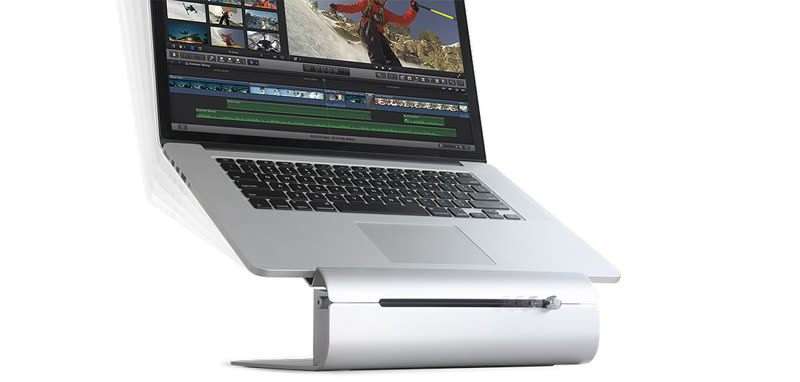
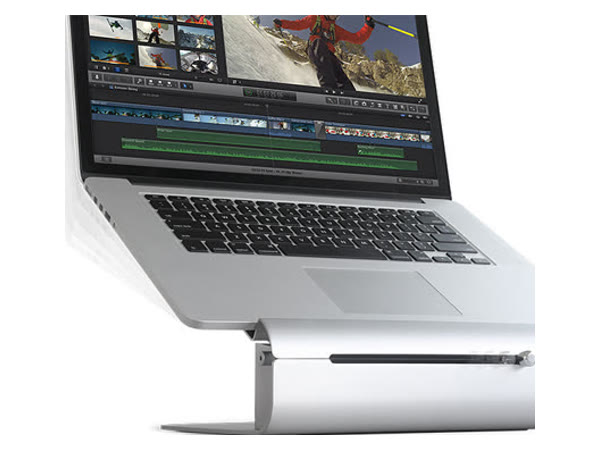
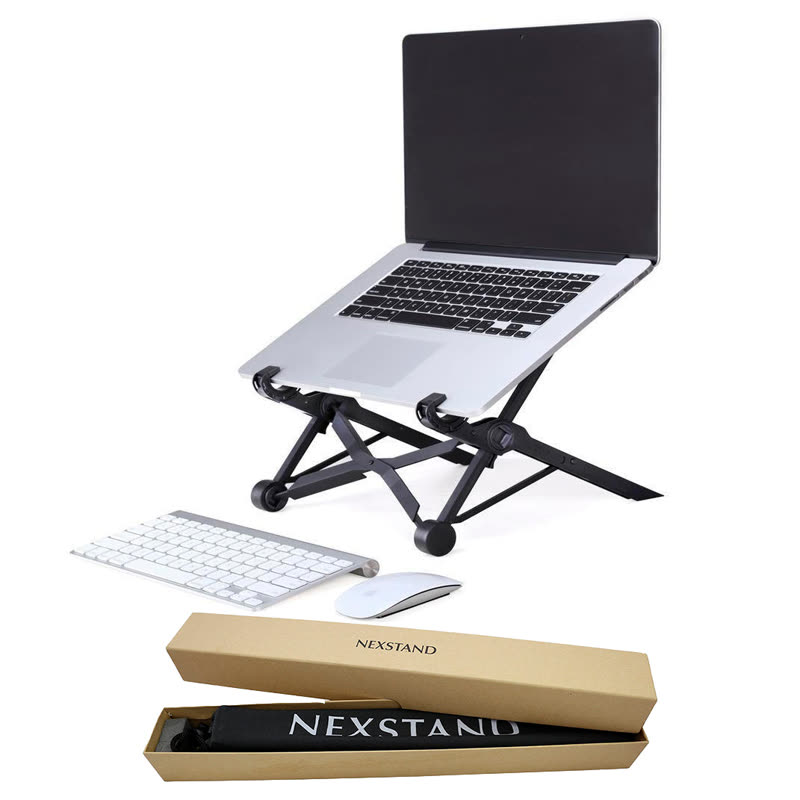
Get the Rain Design iLevel if the stand will live on your desk: solid aluminium, with one slider for height and angle. If you want to spend less or take it out, the Nexstand K2 lifts higher and folds into a bag.
We earn a commission if you buy through links on this page, at no extra cost to you. It never changes our picks, or which product we tell you to skip. As an Amazon Associate I earn from qualifying purchases.
The short answer
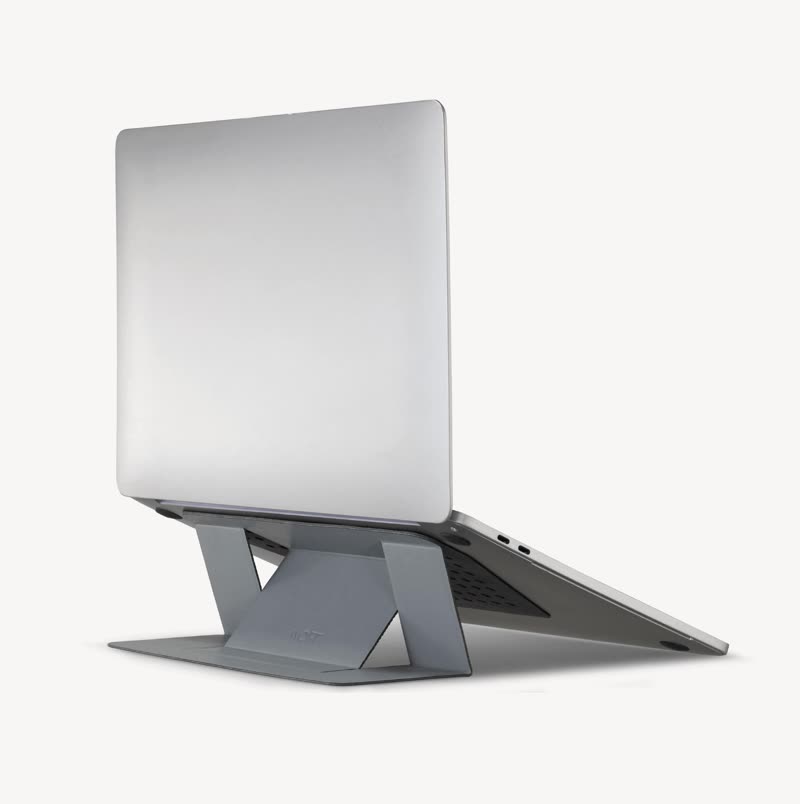
MOFT Adhesive Laptop Stand
Skip: too little lift
- Researched
- MOFT lists only 2 or 3 inches of lift, so at a desk the screen stays well below eye level.
$24.99/£20MOFT store, lowest colour price, checked 3 Oct 2026
What a stand must do
A stand only helps if it lifts the screen far enough. US workplace guidance from OSHA says the top of the screen should sit at or slightly below eye level. A laptop on a desk is far lower than that, which is why you end up hunched forward.
LiftLook for 14 cm or more at the back. A few centimetres only changes the typing angle.
KeyboardOnce the screen is up, add a separate keyboard and mouse. The UK HSE recommends exactly this.
StabilityA heavy metal base stays put. Light folding stands travel better but rely on notches and rubber feet.
More on what matters
After that, decide where it lives. A stand that stays on your desk can be heavy and solid. If you also work from a café or the office, a folding stand that packs into a bag matters more than a smooth slider.
Check your laptop fits: some folding stands grip only a thin front edge, and stick-on stands need a laptop with no air vents underneath.
Compare the picks
| Verdict | Model | Lift | Adjusts | Laptop limit | Material | Weight | How judged |
|---|---|---|---|---|---|---|---|
| PICK | Rain Design iLevel | 136–200 mm | Slider, height and angle | Any laptop (max load not published) | Aluminium | 1.6 kg | Researched |
| BUDGET | Nexstand K2 | 14–29 cm | 8 notches | 10–17″, up to 9 kg | Fibreglass-reinforced nylon | 234 g | Researched |
| SKIP | MOFT Adhesive Laptop Stand | 2 or 3 in (5–7.6 cm) | 2 positions | 11.6–16″, no vents underneath | PU and fibreglass, stick-on | 89 g | Researched |
Specs from each maker's own product page; see Sources. Prices from the brands' own US and UK stores, checked 3 Oct 2026; they change often and may be lower elsewhere.
Our verdicts
PICK
Rain Design iLevel
ResearchedThe best choice if the stand will live on your home desk.
Why it’s good
- Smooth slider for height and angle, no notches
- Heavy aluminium base that stays put
Watch out for
- Not portable, and Rain Design doesn't publish a maximum load
BUDGET
Nexstand K2
ResearchedLifts your laptop higher than the Pick and folds into a bag, for $27.55 / £22.51 less.
Why it’s good
- Lifts up to 29 cm, higher than the Pick
- 234 g and folds small for travel
You give up
- Nylon frame with fixed notches instead of an aluminium base and smooth slider
SKIP
MOFT Adhesive Laptop Stand
ResearchedMOFT stands show up in best-of lists (XDA includes one), and this stick-on model is light and always with you. But MOFT's own spec lists only 2 or 3 inches of lift. That changes the typing angle, but at a desk the top of the screen stays far below the eye level OSHA recommends, so it doesn't fix a hunched neck. MOFT also says it's only for laptops with no air vents underneath. For under $13 / £8 more, the Nexstand K2 lifts 14 to 29 cm. Keep the MOFT for typing on the laptop's own keyboard on the move.
How we chose
Show how we chose
We compared eight laptop stands, from stick-on tilts to weighted desk stands. Every verdict was checked on the maker's own product page and on the brand's US and UK stores on 3 Oct 2026. To get a verdict a stand had to be in stock in both countries, which ruled out the Roost V3 (no UK store) and the Twelve South Curve Flex and Native Union Desk Laptop Stand (sold out in the UK). Then we weighed how high it lifts, how it adjusts, laptop limits, stability, portability and price.
Tested means we used it ourselves. Researched means we judged it from specs, independent tests, safety rules and owner reports, without using it. We never mark a researched pick as tested.
Questions
Do I need a separate keyboard with a laptop stand?
Yes, if you raise the screen to eye level. Typing on a raised laptop strains your wrists and shoulders, so the UK HSE recommends a separate keyboard and mouse.
How high should my laptop screen be?
OSHA says the top of the screen should be at or slightly below eye level, with the centre of the screen a little lower. For most people at a desk that means lifting the laptop well over 10 cm.
Is a folding stand stable enough for daily use?
For reading and video calls with a separate keyboard, usually yes. If you type hard or want a perfectly still screen, a heavy aluminium stand such as the Rain Design iLevel moves less.
Will a stand stop my laptop overheating?
Raising the laptop lets air reach the underside, which can help. Stick-on stands such as MOFT's are only meant for laptops with no air vents underneath.
Sources
Show the sources
- Rain Design: iLevel, accessed 3 Oct 2026
- Nexstand US: K2, accessed 3 Oct 2026
- Nexstand UK: K2, accessed 3 Oct 2026
- MOFT: Adhesive Laptop Stand, accessed 3 Oct 2026
- Rain Design: mStand, accessed 3 Oct 2026
- Roost: V3, accessed 3 Oct 2026
- Twelve South UK: Curve Flex, accessed 3 Oct 2026
- Native Union: Desk Laptop Stand, accessed 3 Oct 2026
- OSHA: Computer workstations, monitors, accessed 3 Oct 2026
- HSE: Good posture and display screen equipment, accessed 3 Oct 2026
- XDA Developers: The best laptop stands (Dec 2023), accessed 3 Oct 2026
Connecting guides
The weekly deals email
Price drops on gadgets we'd actually recommend, once a week.
One email a week. Unsubscribe any time. Privacy